
Uzumaki
Apple Music as a real desktop app: native, GPU‑rendered and written in Rust.
For Linux, and macOS too. Your library, your playlists, synced lyrics and your own music files, in one fast window that works with your media keys and your terminal.
Coming soon Downloads aren't up yet. Needs an Apple Music subscription.
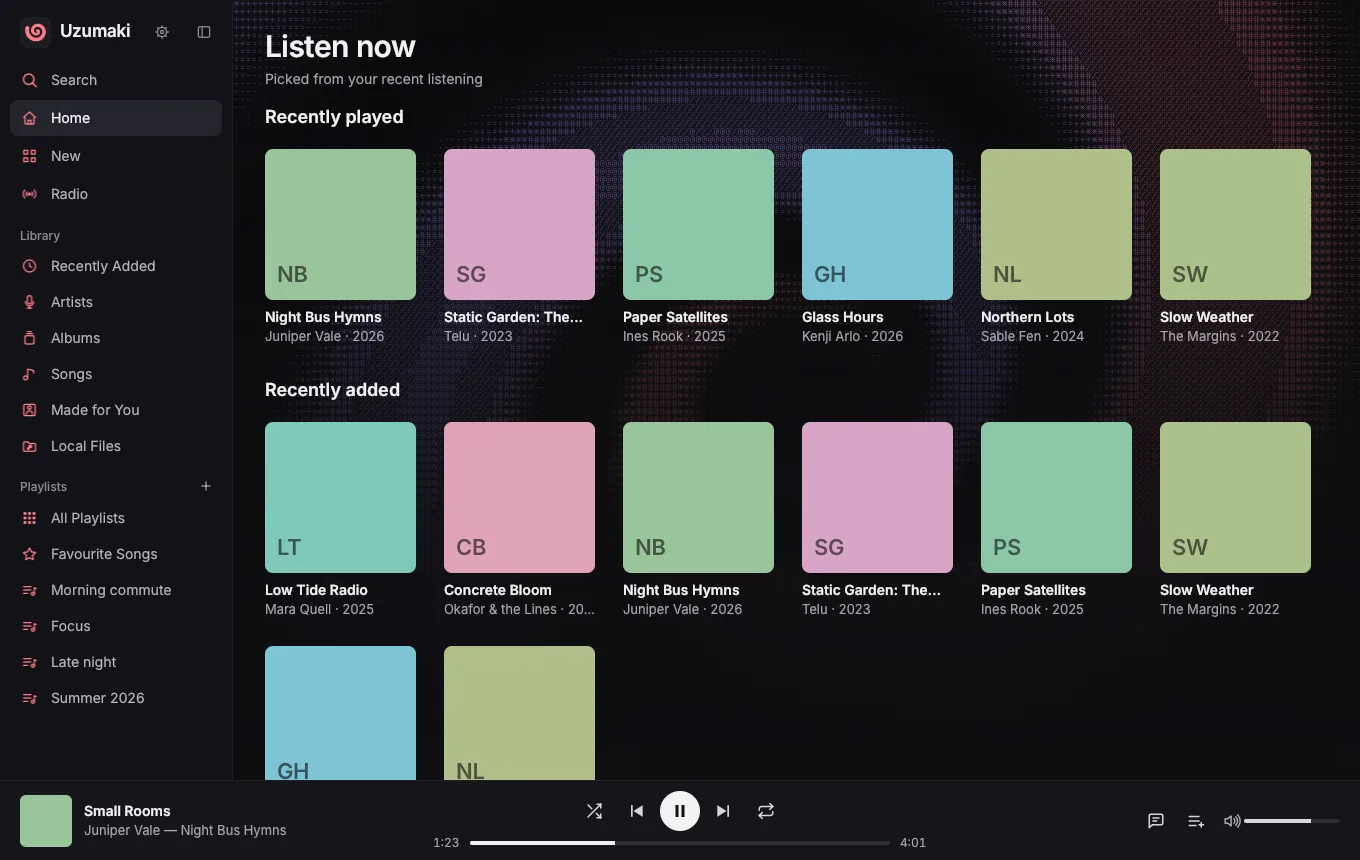
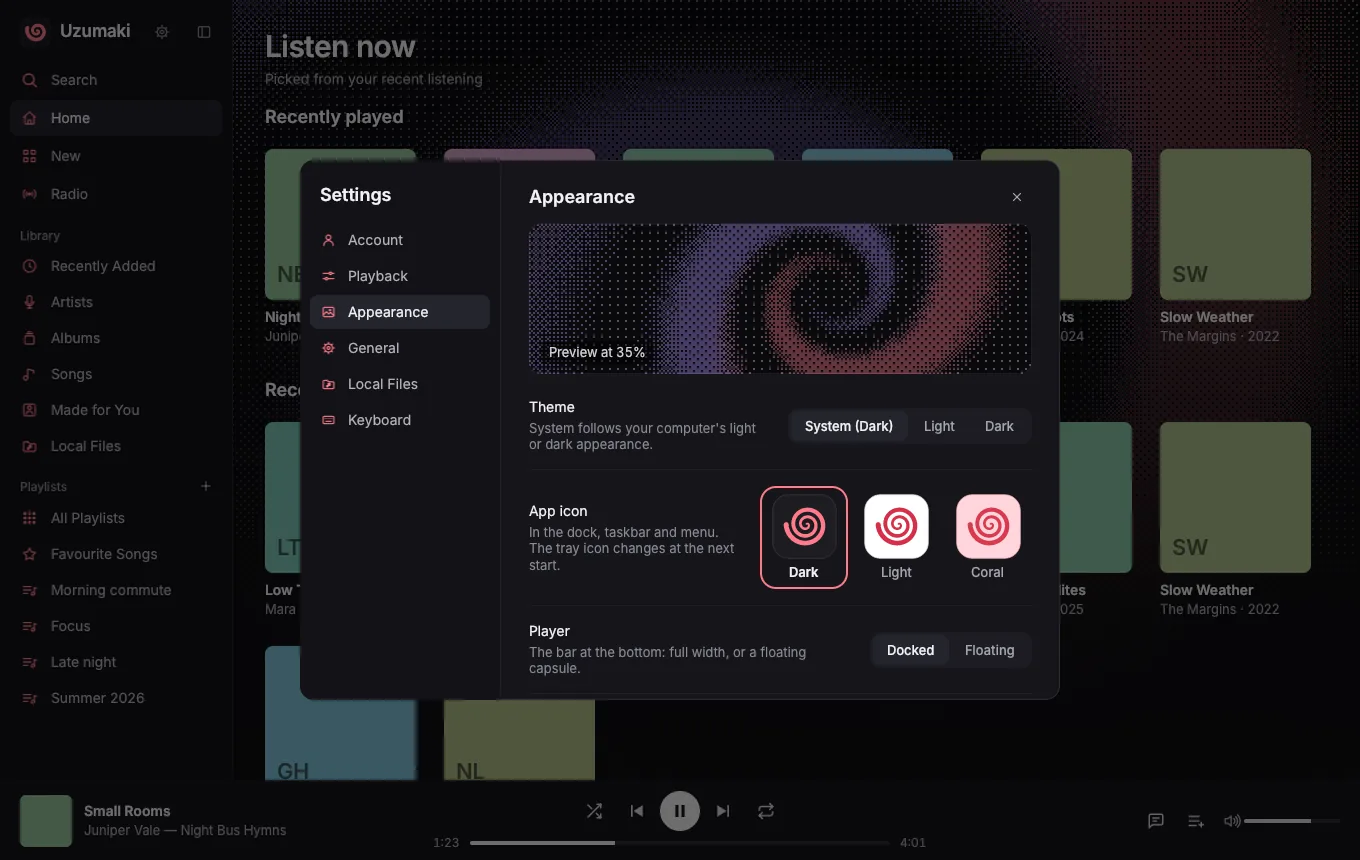
Screenshots show the app with sample albums and placeholder covers.
A music app that feels like it belongs on your desktop
No browser tab. Uzumaki draws its own interface on the GPU and uses Apple's own web player, hidden in the background, for the actual playback.
-
Native and GPU‑rendered
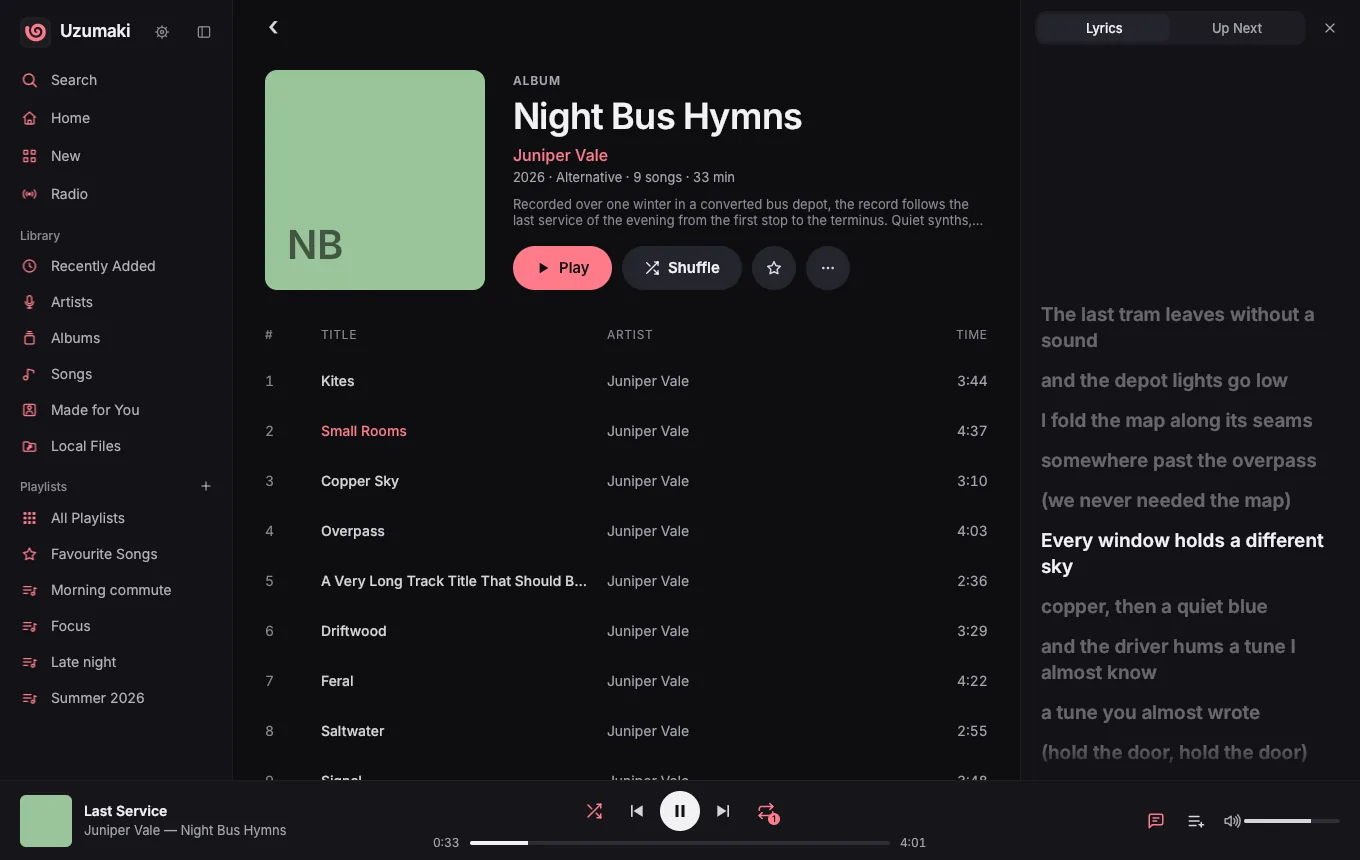
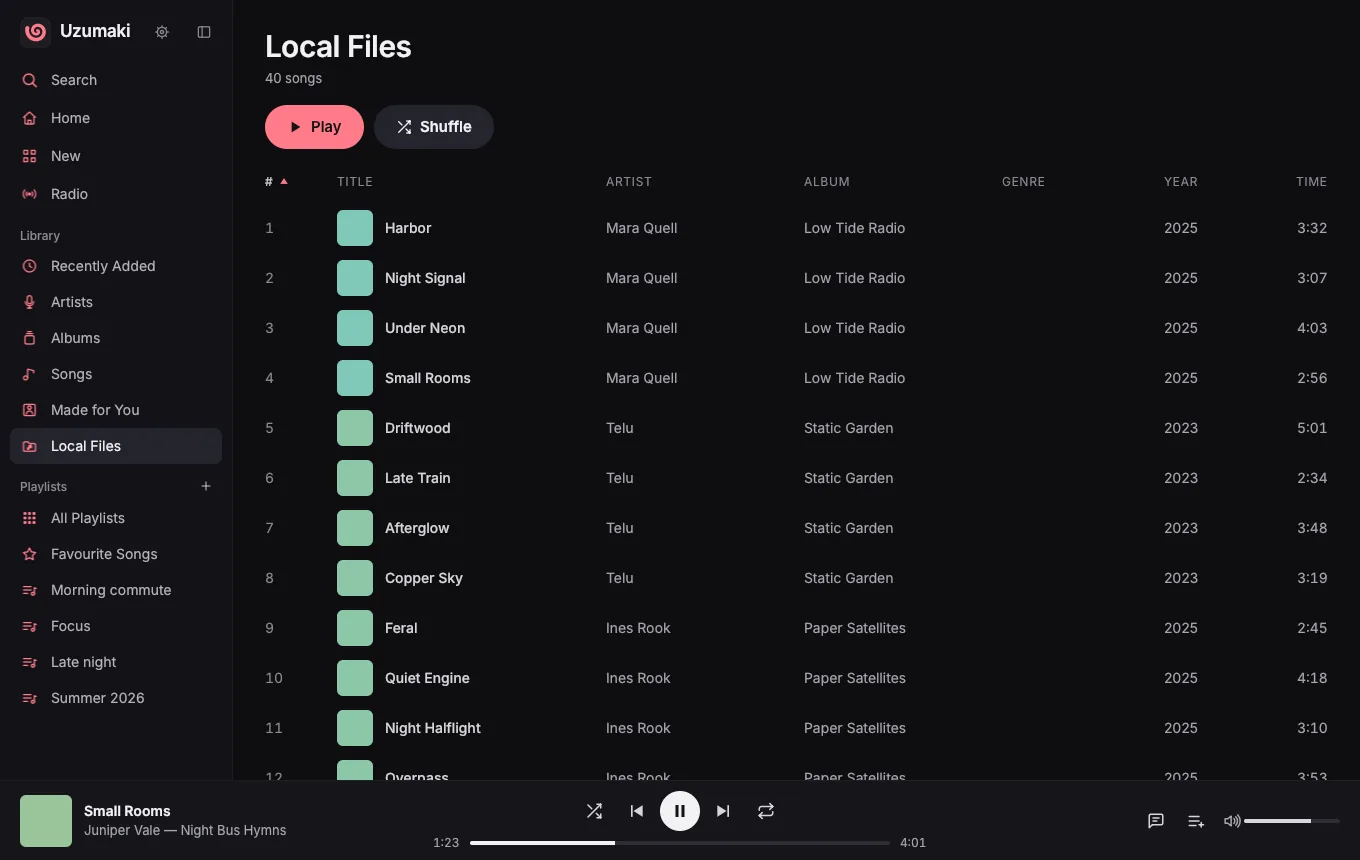
Written in Rust and drawn with the GPU (Vulkan on Linux). A sidebar like Apple's, pins, a collapsible rail, sortable song tables that adapt to the window width, drag and drop, and keyboard shortcuts you can change.
-
Synced lyrics, word by word
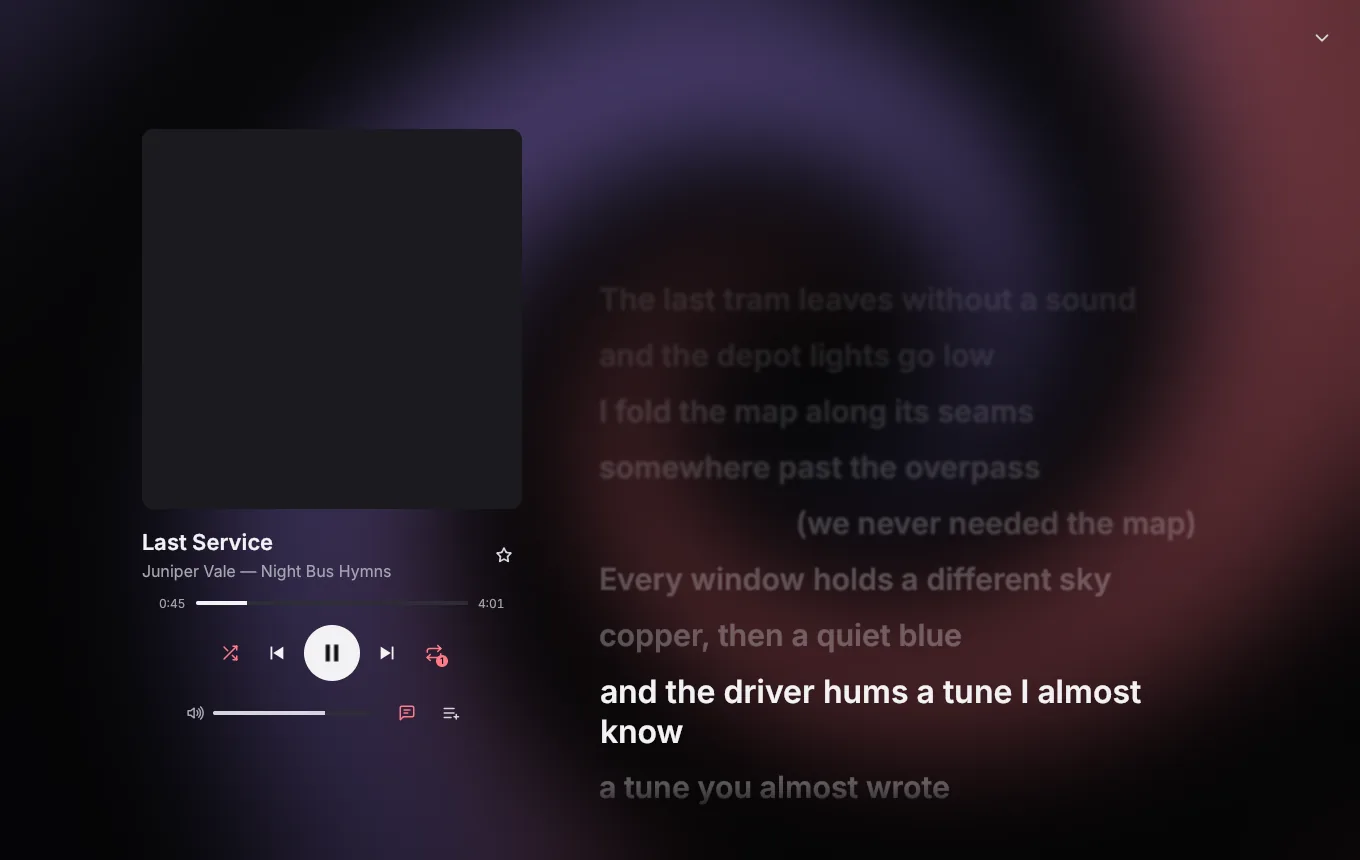
Lyrics glide along with the song and fill in word by word when Apple has word timing, or line by line when it doesn't. Read them full screen, or in a panel beside whatever you're browsing.
-
Now Playing, with backgrounds
A full-screen Now Playing view with the cover, controls and lyrics. Set a background behind the app or behind Now Playing: the built-in swirl, your own picture or the current cover, with dither, ASCII, halftone, scanline or blur effects.
-
Your own files, in the same queue
Point it at your music folders. FLAC, MP3, AAC/M4A, ALAC, Vorbis and WAV play inside the app and mix with Apple Music songs in one queue. Local files have their own page and search tab.
-
Media keys, tray and notifications
MPRIS on Linux and Now Playing on macOS, so media keys and desktop widgets just work. A tray icon with playback controls, optional close-to-tray, song-change notifications, and hook scripts that run on every song change.
-
Your whole library, fast
Library, albums, artists, playlists, Favourite Songs, New, Radio and Made for You. The library is kept on disk, so it opens at once and you can browse it offline. Create and edit playlists, mark favourites, and pick light or dark.
Built for the terminal too: uzu
uzu controls the running app the way mpc controls mpd. Use it in scripts and key bindings, or just type uzu for a full-screen terminal player with your queue, playlists, search, albums and lyrics. It even works over SSH.
$ uzu
Juniper Vale - Small Rooms
[playing] #1/9   1:23/4:37 (30%)
$ uzu playlists
$ uzu play "late night"
$ uzu search copper sky
$ uzu insert 1      # play next
$ uzu seek +10
$ uzu vol 60
$ uzu next
- Five screens: Queue, Playlists, Search, Albums and Lyrics, with filtering and sorting.
- Covers in the terminal: real images in kitty, Ghostty, WezTerm, iTerm2 or sixel terminals, coloured blocks elsewhere.
- Runs without a window:
uzu startruns the app in the background, and playlists and albums work from the disk cache.
Requirements
An Apple Music subscription
Uzumaki is a different way to use the subscription you already have. You sign in once with your Apple Account, in Apple's own sign-in page.
Apple's standard streaming quality
Songs stream at 256 kbps AAC, the quality Apple offers on the web. Lossless and Dolby Atmos aren't available this way. There's also a 64 kbps data saver.
Linux or macOS
On Linux, a GPU with Vulkan drivers, on Wayland or X11. On macOS it runs as a regular app, with media keys, a menu bar icon and notifications.
FAQ
How does playback work?
Uzumaki runs Apple's own Apple Music web player in a hidden window and tells it what to play. The audio is played by that official player, inside a standard licensed browser engine. Uzumaki's own window shows everything else.
Can I download songs or keep them after my subscription ends?
No. Uzumaki streams Apple Music the same way music.apple.com does and never saves or converts the audio. Songs you own as files play from your own music folders.
Is it official?
No. Uzumaki is an independent project and is not made, affiliated with or endorsed by Apple.
Why not lossless?
Apple only offers 256 kbps AAC to its web player, and that is the player Uzumaki uses. Lossless and Spatial Audio need Apple's own apps.
Is my Apple password stored by Uzumaki?
No. You sign in on Apple's own page in a separate window, and the login stays in that player's profile on your computer, just like signing in to a browser. Settings → Account has a Sign out button that removes it.
Do lyrics work for every song?
Lyrics come from Apple Music, so they show when Apple has them. Many songs are timed word by word, others line by line, and some have plain lyrics only. Local files don't have lyrics yet.
Do media keys and desktop widgets work?
Yes. On Linux Uzumaki registers with MPRIS, so media keys, KDE and GNOME widgets and tools like playerctl see it, whether an Apple Music song or a local file is playing. On macOS it uses the system's Now Playing controls.
When can I download it?
Soon. The Linux AppImage and macOS DMG aren't published yet.